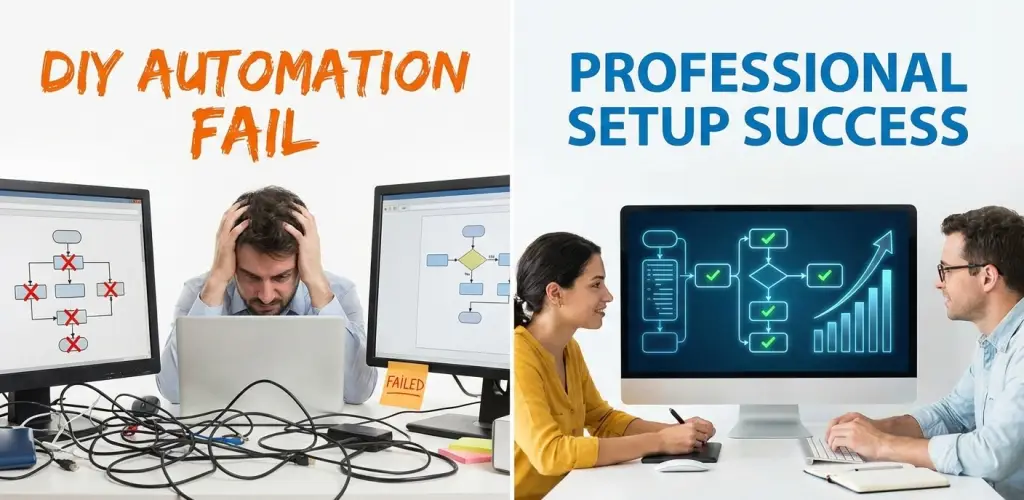
Workflow automation is the key to faster processes, fewer errors, and lower costs. There are various tools like n8n available, and, therefore, many teams try to build automation themselves, thinking it will save money and time.
Actually, DIY workflow automation is a frequent failure, and if it does, it normally costs a lot more than professional implementation. Things like broken workflows, hidden errors, maintenance overhead, and lost productivity are the main reasons that silently eliminate the expected savings.
This paper will identify the reasons why DIY automation fails so frequently and how an expert automation setup saves you more in the long run.
Why DIY Workflow Automation is So Tempting
Some of the reasons why people are tempted to do DIY automation are:
- The tools seem to be very simple
- Initial setup looks fast
- There is no consulting cost upfront
- Teams want full control
If only a very simple one-step task is involved, DIY automation might be possible. However, the moment the workflows have more than basic triggers and actions, problems will come up.
The Reasons Why DIY Workflow Automation Fails So Often
1. Teams Automate the Same Old Processes as They are
It is common that teams:
- Work on automation with poorly defined workflows
- Have workflows inconsistent between departments
- Play with workflows that are full of manual exceptions
Automation speeds up whatever process you provide to it, including broken ones.
Outcome: More chaotic situation at a faster rate, not efficiency.
2. Automations Are Usually Based On The Tools, Not The Outcomes
DIY automation typically:
- “Connect Tool A to Tool B”
- “Speed up data movement”
Rarely does a team create a workflow design focused entirely on the desired business outcomes of speedy conversions, accuracy, or scalability.
Outcome: A half-baked and fragmented automation which fails to address the root issues.
3. There Is No Error Handling or Recovery Logic
DIY workflows mostly take:
- APIs will always respond correctly
- Data in the expected format will always be received
- There will be no tool failures
Failures do occur quite often in real situations.
Workflows go unnoticed as they silently fail if there are no:
- Error handling
- Retry
- Alerts
Teams only realise the problem when they find the situation that is broken downstream.
4. Automation Is Not Scalable
What is feasible for:
- 10 leads
- 100 records
- 1 team
is likely to burst at:
- 1,000+ events
- Multiple teams
- Higher data volume
Most DIY automations lack:
- Performance optimization
- Modular design
- Long-term scalability planning
Outcome: When the amount of work increases, the team members go back to manual work.
5. Over Time, Maintenance Costs Will Be High
Some of the reasons why DIY automation becomes costly are:
- Only one person understands the logic because the logic is in their head only
- There is no documentation
- The effect of a small change can probably break other workflows
- Fixes take longer than expected
The initially “free automation” has now become a technical debt.
6. Teams Underestimate the Real Cost
The real costs of DIY automation hide in:
- Engineering time
- Operations delays
- Lost leads or data errors
- Rework and troubleshooting
These hidden expenses rarely appear as line items — yet these directly impact both revenue and productivity.
Why Businesses Criticise Automation Tools Instead of the Setup
Teams generally arrive at the following conclusions after the failure of their DIY automation:
- “The tool is unreliable”
- “Automation is not for us”
- “We’ll have to switch to another platform”
Actually, the tool does not usually cause the problem that is a lack of design, governance and expertise.
How Our Expert Setup Saves You More
The way we comprehend automation is different. Instead of simply “making tools talk, we make systems that not only scale but also are dependable.
1. We Design the Process Before Automating
In the beginning, we:
- Map out the entire business process
- Keep only the necessary steps
- Clearly mark the inputs, outputs, and owner of each process
Automation is only an option after you have a good grasp of the process.
2. We Build End-to-End Workflows
Instead of isolated tasks, we automate:
- Triggers → logic → validations → actions → fallback
In this way, we make sure that workflows yield genuine business results instead of partial solutions.
3. We Engineer for Failure (So It Doesn’t Hurt You)
Every workflow features:
- Error handling
- Retry logic
- Alerts and monitoring
Failures are always spotted, and issues are fixed before they cause any harm.
4. We Build Automation That Scales
We create workflows that can:
- Handlean increase in volume
- Be able to support multiple teams
- Remain maintainable over time
As your business expands, automation will continue to be trustworthy.
5. We Lower Long-Term Cost
Our expert setup:
- Stops repeated rebuilds
- Lessens maintenance effort
- Removes flaky logic
- Decreases operational overhead
On average, businesses spend less over time than if they had gone the DIY route—even if setup costs more upfront.
6. We Provide Documentation and Ownership
We make sure that:
- Workflow documentation is clear
- Ownership of the workflow is specified
- Changes are kept under control
When an employee leaves, automation does not fold.
What Businesses Get When They Opt For Professional Automation
With the right set-up, companies:
- Experiencing reliable automation execution
- Operations being faster
- Error rates are becoming lower
- Manual work is being reduced
- Automation costs are becoming predictable
- ROI from automation is becoming higher
This is when automation starts to pay you back.
FAQs – DIY vs Expert Workflow Automation
Is DIY automation always a mistake?
Not at all. Simple and risk-free tasks may work fine. If you are dealing with complex workflows or those that are crucial to the business, then you really need an expert.
Does expert automation cost more?
Initially, it may cost more than DIY—but it saves significantly more over time.
Can failed DIY automation be fixed?
Yes. Most DIY workflows can be stabilised and redesigned properly.
Is expert automation only for large companies?
Not at all. Startups and mid-sized businesses gain the most from getting their setup right at the outset.
DIY Automation Costs Less Today. Expert Automation Saves More Tomorrow.
Many times, DIY workflow automation ends up failing simply because it overlooks the three key things: design, scalability, and governance. You will later see the cost in lost opportunity, rework, and downtime.
An expert automation setup brings:
- Dependability
- Ability to scale
- Lower long-term costs
- Greater business impact
If you haven’t got the expected results from your DIY automation, then it’s time to move from “quick fixes” to professional automation, which truly saves you more.